
Issue credentials from your own systems with the Creadefy API
The Creadefy API lets your own systems create programmes and issue certificates and badges, with nobody opening the dashboard. It is in early beta, and access is by request.
What you can do
| You can | What it means |
|---|---|
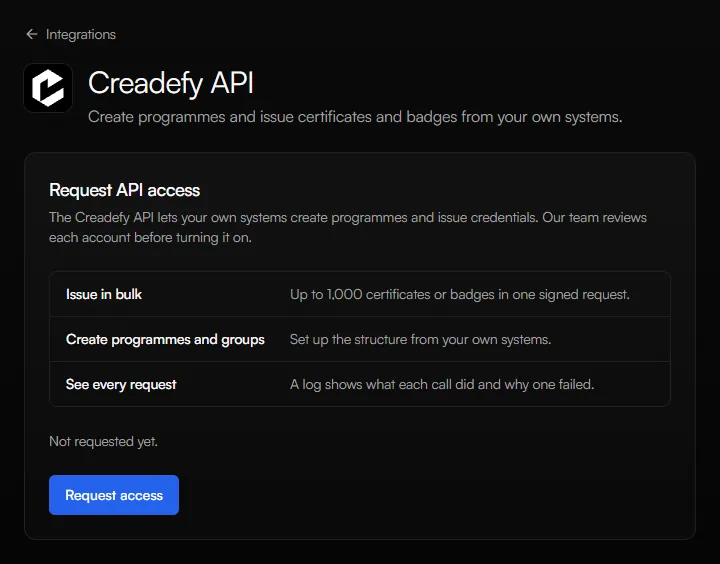
| Issue in bulk | Issue certificates or badges to up to 1,000 people in one request, and email each person their credential. |
| Create programmes and groups | Set up the structure from your own systems. |
| See every request | A log in your dashboard shows what each call did and why one failed. |
The API issues through the same templates, programmes, and credits as the dashboard. So the same rules apply: the programme must belong to an approved organization, and each credential uses one credit.
Early beta
The Creadefy API is in early beta. Our team reviews each account before turning it on, and details may change while it is in beta.
That is why this page does not list the technical setup. You get the setup steps inside your account once your access is approved.
Request access
- Sign in to Creadefy. New here? Create a free account first.
- Open Integrations in the left menu and choose Creadefy API.
- Select Request access. The page then shows that your request was sent.
If you have a specific integration in mind, tell us your use case. It helps us review your request. Accounts on a paid plan are more likely to be approved.
See where your request stands
Open the Creadefy API page again at any time. It always shows the current state of your request.
| The page says | What to do |
|---|---|
| Not requested yet. | Select Request access. |
| Request sent. Our team is reviewing it. | Nothing. We will review it. |
| Your earlier request was closed. You can send a new one. | Select Request again. |
| Access is approved but paused by our team. | Select Contact support to turn it back on. |
After you are approved
The same Creadefy API page then shows everything you need to connect: your private connection details, ready-to-run examples, and a log of every request you send.
Keep those details private, like a password. Anyone who has them can issue credentials in your name.
Questions before you start? Contact us.